
When it comes to health and fitness goals, it seems like there’s an app for everything, whether you’re looking for help with weight loss, want to focus more on nutrition, or are interested in having meals delivered to your home.
Apps keep evolving, but there’s also an argument for keeping it simple. Basic tracking apps—which typically help you count calories, macros, exercise sessions, and more—offer at-a-glance metrics that can be very motivating. Sure, after eight hours of work, you might want a break from metrics and analytics, but tracking apps are all about you: They can offer personalized insights that help you improve your health and fitness habits.
For this review, we’re looking at Cronometer, a popular tracking app with a solid free plan, and sharing insights from a tester who has used it for years. Here’s what he had to say about it.
About Our Expert
This article was medically reviewed by Jillian Robillard, MS, RD, LDN, CSSD. Jillian is a licensed and registered dietitian at Whole Balanced Nutrition.
Cronometer
Trial period
App cost
Special features
- Our thoughts: A science-based tracking app with a solid free version
- Who it’s for: People who find data motivational
- What makes it different: The company says its nutrition tracker is the most accurate available because they use lab-analyzed sources instead of crowdsourced data like some other apps
Cronometer App Specs
Our Experience with the Cronometer App
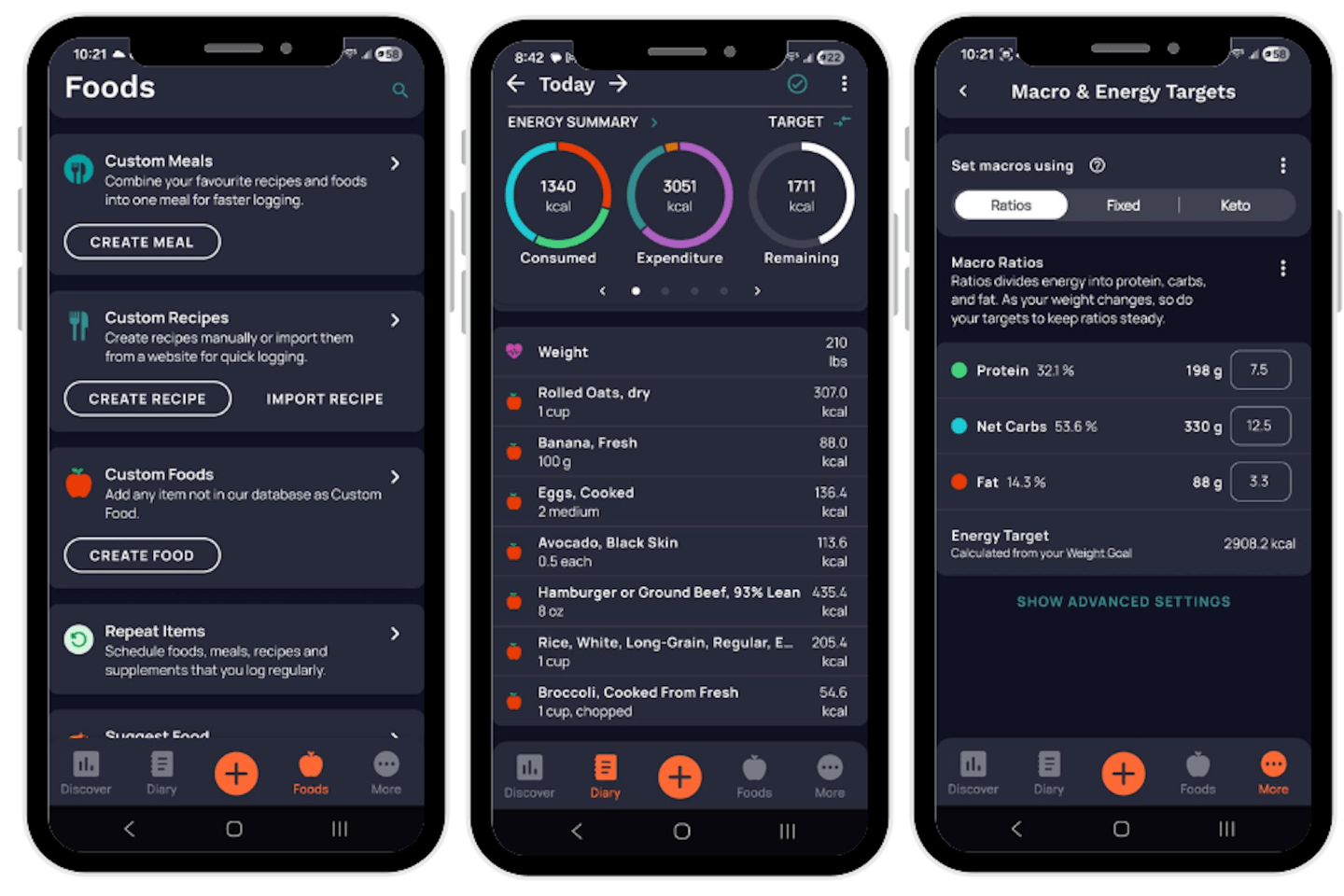
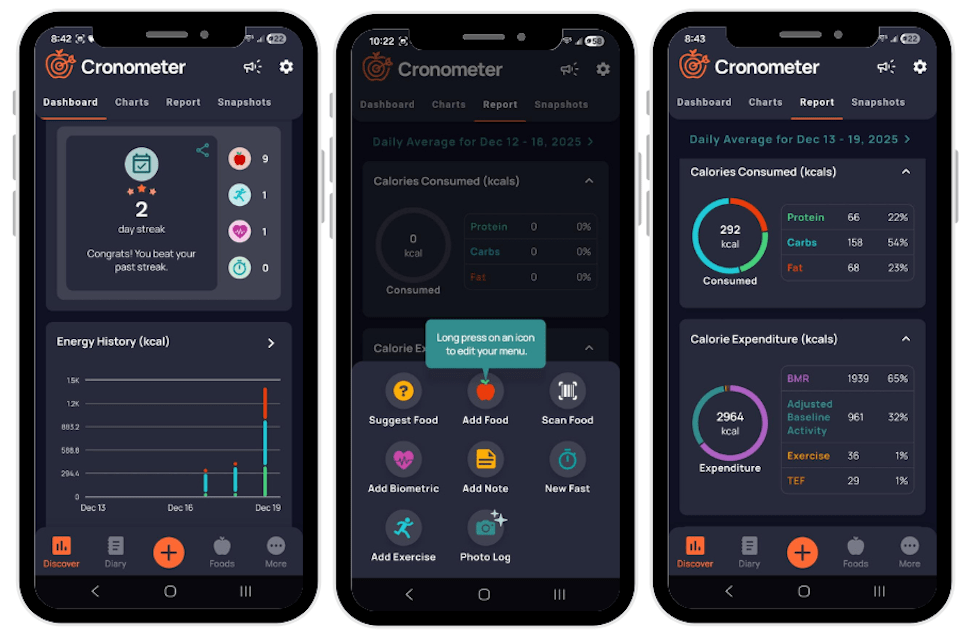
Cronometer says it offers “personalized insight into your diet, exercise, and health data,” and the primary way it does that is through “science-backed nutrition tracking.” Specifically, users can monitor food intake using food logs, food journaling, and a “built-in nutritional target wizard,” track intake of various vitamins and minerals, log exercise, and more. There’s a free basic plan, or users can sign up for a monthly or yearly subscription.
Pete, a certified nutrition coach and member of our testing team, has been using Cronometer “off and on” for approximately six years. Here are his favorite features, as well as a couple of drawbacks.
What We Liked
Pete highlighted some things he especially liked about Cronometer.
- Overall experience (4 out of 5): Pete said, “It’s one of the food tracking apps I consistently come back to because it’s easy to use and provides a lot of functionality, even in the free version. I really like the barcode scanning feature, which many other apps lock behind a paywall, because it makes food logging so much faster.” Pete added that the paid version “definitely adds some helpful tools, including personalized food suggestions, a fasting timer, and the ‘Oracle’ nutrient search, which lets you find foods rich in specific nutrients.”
- Sustainability (4 out of 5): According to Pete, using this app is straightforward and simple, making it an easily sustainable habit. Pete said, “Cronometer is really just a tracking-focused app designed to help you log food, exercise, and body weight. It’s best suited for individuals who already have a detailed nutrition plan in place for their calorie and macronutrient goals and want a reliable way to track and verify that they’re hitting those targets.” He said he generally finds it an excellent tool for when he wants to be more intentional about his eating habits.
- User interface (4 out of 5): Pete explained, “Getting set up with Cronometer is simple. There’s no lengthy onboarding quiz. It just asks for some basic information like age, height, weight, and gender. Once you log in to the app, you can easily customize your calorie and macronutrient targets in your profile. Food logging is quick and efficient, especially once it becomes part of a daily routine.”
Overall, said Pete, “Cronometer is very easy to understand and use from a logistical standpoint, especially if you’ve tracked food before. Logging your food is intuitive, and the app provides an easy-to-read summary of your daily calories and macronutrients.” He added, “I appreciate that it also tracks other important metrics like fiber and a few different vitamins and minerals, which adds more depth to the overall nutrition data.”
What We Would Change
There were a few things Pete said could be improved.
- Instructions (1 out of 5): Pete said there aren’t really any instructions, because Cronometer is primarily a tracking app. So, there isn’t any specific diet or exercise plan to follow.
- Accountability (1 out of 5): “This isn’t an accountability app,” noted Pete. He added that it’s helpful to set your own goals prior to using the app, but the app itself doesn’t heavily emphasize accountability.
Who It’s For & Who It’s Not For
Here’s who we think can most benefit from Cronometer.
For: People who want an easy way to track food and exercise
Cronometer makes it easy to accurately track your food intake, including various vitamins and minerals. Users can also track exercise. Cronometer says its nutrition data is from verified sources, rather than crowdsourced data, which may be unreliable.
Not for: Those looking for more targeted guidance
Not everyone knows what to do with a bunch of health statistics, and for those folks, an app with more precise recommendations or even coaching might be useful. For example, those interested in weight loss might want to look at programs focused on that specific goal. Cronometer doesn’t suggest a specific dietary or workout approach, so users without a lot of nutrition or fitness knowledge might track their data but not know how to act on the insights.
Comparing Cronometer to Other Apps
Frequently asked questions
Is the Cronometer app worth it?
Cronometer may be a good fit for you depending on your health goals and your own unique needs. If you’re the type of person who could benefit from seeing your own personal data—whether calories or other nutrition metrics, or exercise sessions—then Cronometer might be a good fit. Our tester noted that Cronometer might be more useful for someone who can then decide on a plan of action based on those metrics, versus an individual who isn’t quite sure what to do with that data and needs more guidance.
What is better, MyFitnessPal or Cronometer?
One app isn’t objectively better than another, as everyone has different health needs and wellness goals—and app preferences. Both of these apps focus on tracking calories and other metrics, though Cronometer’s barcode-scanning option is offered in its free version, whereas MyFitnessPal offers a similar feature in its paid plan. If you’re debating between these two, we recommend trying both Cronometer’s free plan and MyFitnessPal’s free trial and then comparing your experiences. You may find you particularly like a certain feature in one app, or that you prefer one user interface over the other.
Is Cronometer actually accurate?
The company says it has built the “most accurate, comprehensive nutrition tracker on the market” because they don’t use crowdsourced data like some other apps do. Instead, says the company website, “We pull from verified, lab-analyzed sources like the Nutrition Coordinating Center and the USDA to give you the full nutrient picture—macros, micros, and everything in between.”