
Weightlifting can seem intimidating–knowing how much weight, reps, and sets to start with can be tricky. That’s where workout apps come in, specifically for weightlifting. They can guide you through the best routine, which you can do when it’s convenient for your busy schedule. No personal trainers, no appointments to rush to, and no planning of your own is required.
We tested 11 weightlifting apps and selected our top four training plans. Our testers considered free trials, personalization, accountability, programming, and more while testing. Read on for our top picks.
Best Weightlifting Apps of 2026
- Best Weightlifting App Overall: SHRED
- Best Weightlifting App for Beginners: Caliber
- Best Weightlifting App for Tracking: Future
- Best Free Weightlifting App: Boostcamp
About Our Expert
This article was medically reviewed by Jillian Robillard, MS, RD, LDN, CSSD. Jillian is a licensed and registered dietitian at Whole Balanced Nutrition.
Best Weightlifting Apps Comparison Table
Best Weightlifting App Overall: SHRED
SHRED
| Fortune score | 4/5 |

at SHRED
- Our thoughts: We like that it gives visual, verbal, and text tips during the workouts
- Who it’s for: Folks who want guided strength training
- What makes it different: Provides workouts depending on your equipment that day–great for travel
Pros
- Very customizable
- Great progressive overload and adaptation over time
- Has guided circuits and videos to help with your form
Cons
- The free tier is limited
- No built-in meal plans or nutrition aspect
- Subscription is per year, not a lifetime purchase of the app
Our Thoughts on SHRED
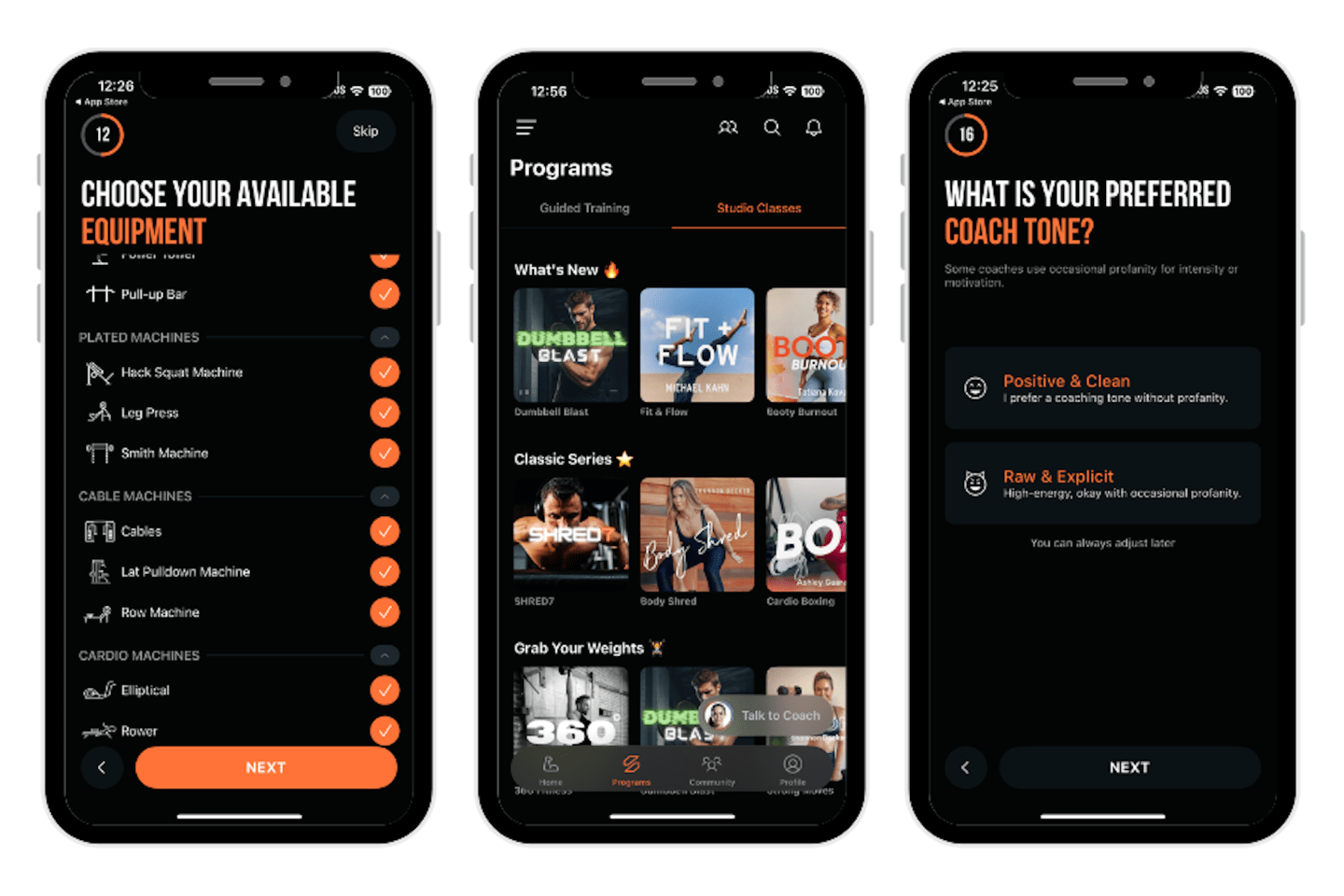
SHRED is our pick for the best overall weightlifting app. It’s unique because the app can adjust day-by-day to your situation–if you are at home and have dumbbells and kettlebells, it’ll create your workout based on that. If you’re traveling and using a hotel gym, SHRED will modify to the equipment that’s available to you. The app has AI coaching and progression plans, which make it highly customizable. But don’t worry, there are plenty of human aspects–there is a gamification system with a leaderboard and social support on the app.
Paige tested SHRED, rating the app setup a 3 out of 5. “The app was semi-simple to set up,” she said. “There were a lot of options that were kind of overwhelming to sort through when asking what I have access to in the gym. Otherwise, I liked the customization!”
When it came to ease of use, she rated SHRED a 3 out of 5. The workouts are separated by several categories (coach, split, equipment, goal, skill level), which made it a bit confusing for Paige to find what she wanted. She thinks there might be too many options, which could be overwhelming for a beginner. “Once I chose a workout, it was easy to navigate,” she said.
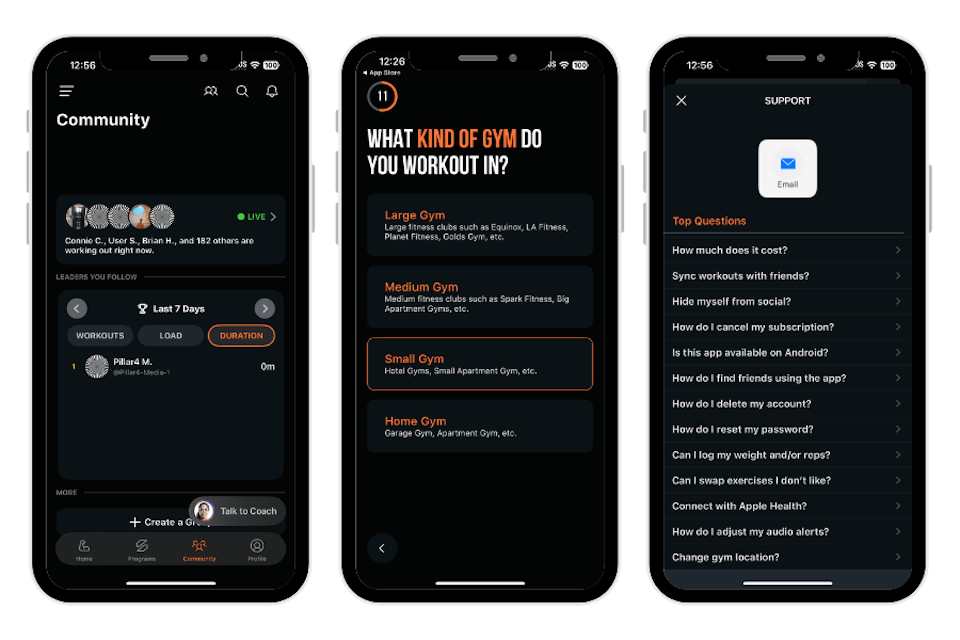
She loved the accountability features of SHRED, rating them a 5 out of 5. “There are notifications and access to your coach, both of which you can personalize. I felt very supported and motivated while using this app,” Paige said.
Paige rated the instructions given by the app a 5 out of 5. “I appreciated the visual, verbal, and text tips during these workouts. It helped a lot with form,” she said.
Our tester thought the workout variety was fantastic; she rated it a 5 out of 5. “There were so many workouts for any type of strength training you want. You were able to customize the workouts depending on what equipment you have on hand,” Paige said. She also loved the interactive features. “I appreciate that you can chat with your coach at any time. There is a whole community tab with leaderboards which made me feel very involved.”
Specs
- Subscription options: Free, annual, monthly
- Free trial: 7 days of premium
- Special features: AI coaching and personalization, in-workout guidance, social gamification
- Compatibility: Apple Health, Apple Watch, Air Pods Pro 3, Google Play
Best Weightlifting App for Beginners: Caliber
Caliber
| Fortune score | 4/5 |

at Caliber
- Our thoughts: We love how user-friendly this app is
- Who it’s for: Great for beginners
- What makes it different: Offers optional one-on-one coaching for accountability and progress
Pros
- Robust free version
- Beginner-friendly
- Strength metrics help to show progress
Cons
- No built-in calorie counter
- Not personalized based on equipment available
- Wearable integration not as broad as other apps
Our Thoughts on Caliber
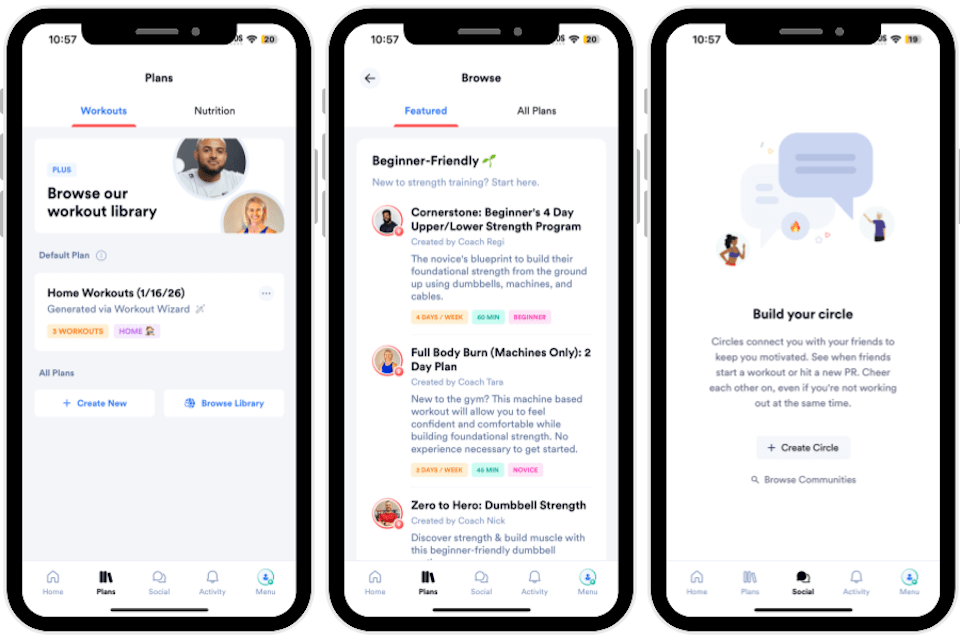
Caliber is our pick for the best weightlifting app for beginners. The app is science-based, and you complete a consultation when you sign up. You can work with a certified coach, who will check in with you a few times a week for accountability. In addition to developing a training plan for you, they’ll also create a flexible nutrition plan. There are educational lessons included in the app, too.
Kate tested Caliber and rated the app setup process a 5 out of 5. “It was so easy to set up the app. You create your account, and then you answer a few simple questions about your workout history and current goals,” she said. “Then, the app created workouts right away to get started.”
She found the app easy to use, rating it a 5 out of 5 as well. The app is very user-friendly and wasn’t confusing to navigate. “It’s easy to see your progress, your goals for the week, and even go into different workouts if you’re looking to do more,” Kate said. “The workout experience was seamless, and they walk you through everything with demos. You can even go into a library and look up specific movements you have done and what muscle groups they target, with instructions on how to correctly perform them.”
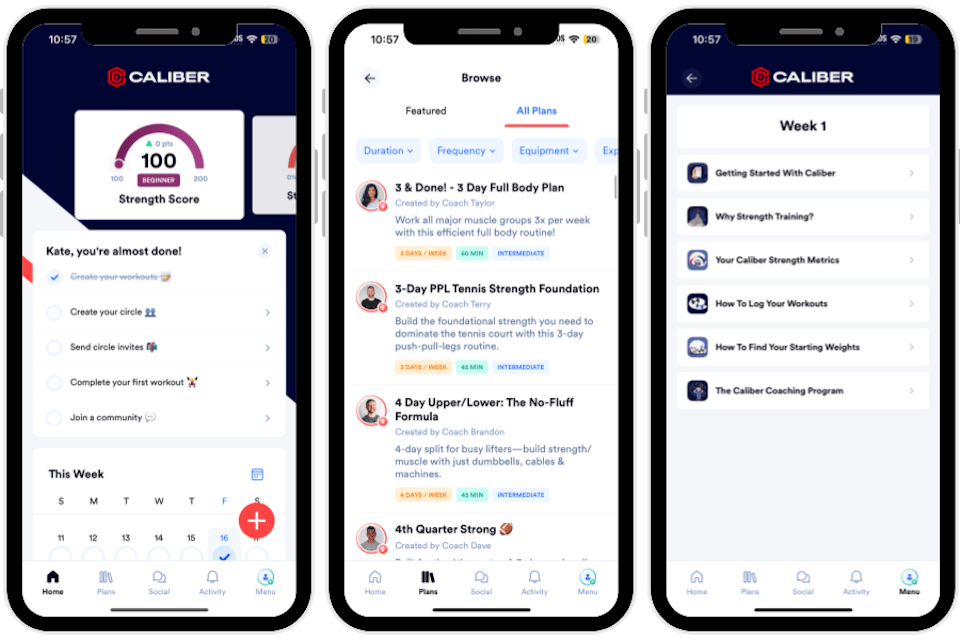
Our tester also loved the accountability features, noting: “The app has everything from reminders to one-on-one coaching sessions.” Kate loved that you get to talk to someone with real knowledge about your progress, rather than just working through a program that was created by an app.
Kate rated the workout variety a 4 out of 5. “There was a lot of variety for strength training specifically. It does have a few stretching and recovery plans, but nothing that would be considered a yoga or Pilates workout,” she said. If you are only looking for strength training, she thinks this is a great app for you. “They have hundreds of workouts made specifically for your goals, or even more if you want to branch out and look through the workout library!”
Specs
- Subscription options: Monthly, yearly
- Free trial: 7 days for Caliber Plus, also offers free version
- Special features: Strength Score metrics, coaching options, group workouts, detailed tutorials
- Compatibility: iOS, Android, Apple Health
Best Weightlifting App for Tracking: Future
Future
| Fortune score | 4/5 |
at Future
- Our thoughts: Our tester loved the workout variety this app offers
- Who it’s for: Serious lifters who want accountability, complex tracking, and remote coaching
- What makes it different: Each program is created and modified by a certified personal trainer, and will evolve week by week as you progress
Pros
- You can select your personal trainer directly from the app
- Wide variety of workouts available
- Advanced tracking and Apple integration
Cons
- Costs $199 per month
- Functionality is limited when using the Android version
- Not for folks who want self-guided workouts
Our Thoughts on Future
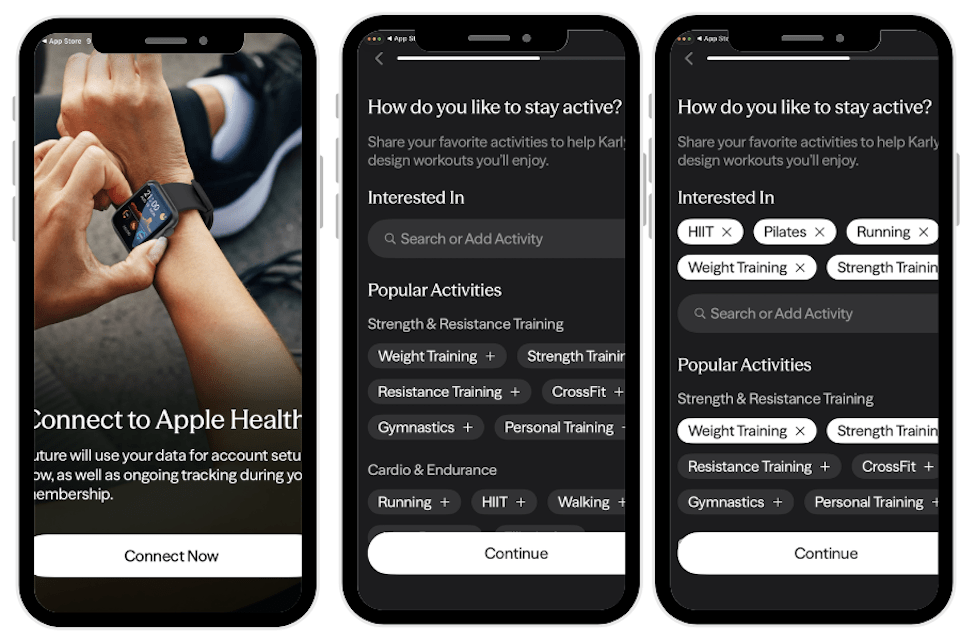
Future is our pick for the best weightlifting app for tracking. It’s a premium app with complex tracking features: when you wear an Apple Watch while working out, Future will capture the workout without you having to manually start it. Future also tracks your sets, reps, weight lifted, and any modifications you make, then shares it with your coach for review. The app also tracks your activity throughout the day, such as walking and heart rate. It’s very precise in tracking, which is great for more advanced lifters and fitness enthusiasts who want concise health and fitness information at their fingertips.
Paige tested Future, rating the app setup a 5 out of 5. She used a web browser link initially to onboard and set up her trial. The website then prompted her to download the app. “I was able to update my preferences in under five minutes, and the app was very clear and easy to navigate. I appreciated all of the options that were available for selecting a trainer and preferred types of workouts,” she said.
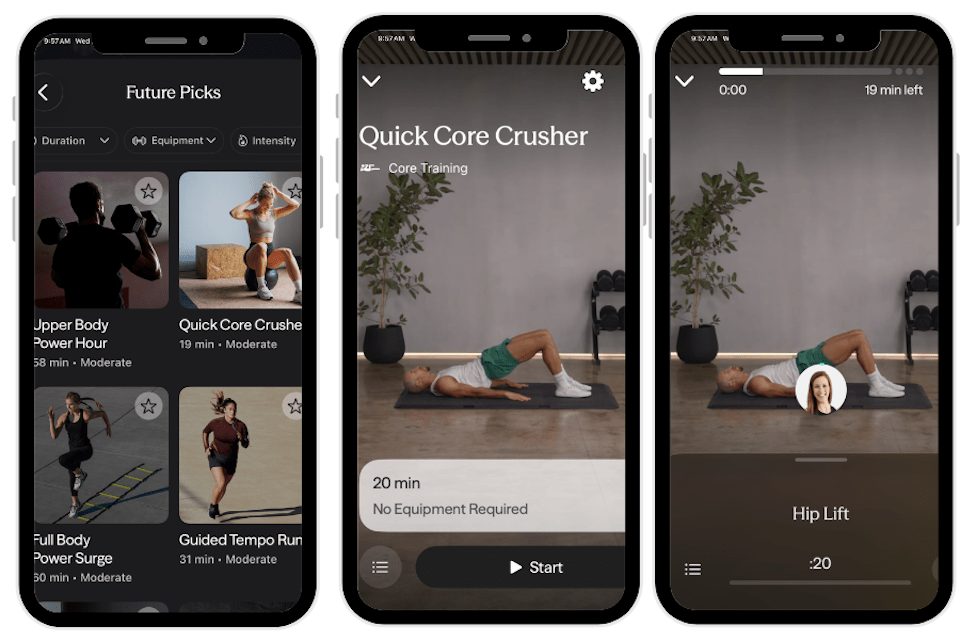
Our tester rated the app’s ease a 5 out of 5 as well. “I really like the app’s layout. It’s not too busy with visuals or features, which makes it very easy to navigate,” Paige said. “There are step-by-step prompts that tell me what’s next for my training subscription. The tabs are very intuitive, and there are no glitches or lag in the app.”
She loved Future’s accountability options, rating it a 5 out of 5 in this category. “If I want my coach to check in often to keep me accountable, I’m able to contact her via message or FaceTime,” Paige said. “There is the option to connect to an Apple Watch and turn on notifications for workouts and coach notifications, which is helpful to stay on track. The one-on-one relationship with the coach allows for a more customized plan, which I find very helpful.”
Future has a great variety of workouts, according to our tester, Paige, who rated it a 5 out of 5. “I was blown away by the variety of workouts included in this app,” she said. “There’s a workout for everyone—the options range from low impact, heavy weights, sports, cardio, and more. I felt inspired to try new workouts when scrolling through all the options.”
Specs
- Subscription options: Monthly, a little cheaper if you commit to an annual subscription
- Free trial: 14-day free trial for new members
- Special features: Ongoing coach messaging, video form feedback, Apple Watch integration, loaner watch option
- Compatibility: iOS, Apple Watch
Best Free Weightlifting App: Boostcamp
Boostcamp
| Fortune score | 4.5/5 |

at Boostcamp
- Our thoughts: We love the workout variety, from equipment to switching programs whenever you want
- Who it’s for: Budget-conscious folks who are serious about quality training sessions
- What makes it different: This app has over 11,000 workouts
Pros
- Very robust free tier
- Focus on progressive overload
- Has PR (personal record) tracking
Cons
- Accountability features are extremely limited
- Not much visual assistance
- Fewer cardio options than other apps
Our Thoughts on Boostcamp
Boostcamp is our pick for the best free weightlifting app because it provides an option that’s truly 100% free and offers over 11,000 workouts. It has a full workout tracker, along with RPE (rate of perceived exertion) and RIR (reps in reserve) logging. The app also includes a plate calculator and can track your personal bests. If 11,000 workouts sounds like too many to wade through, there are plenty of filtering options to help you find the best training session for you–you can search by goal, experience level, and days you’d like to exercise per week. This way, you can be well set up for hypertrophy, powerlifting, and more.
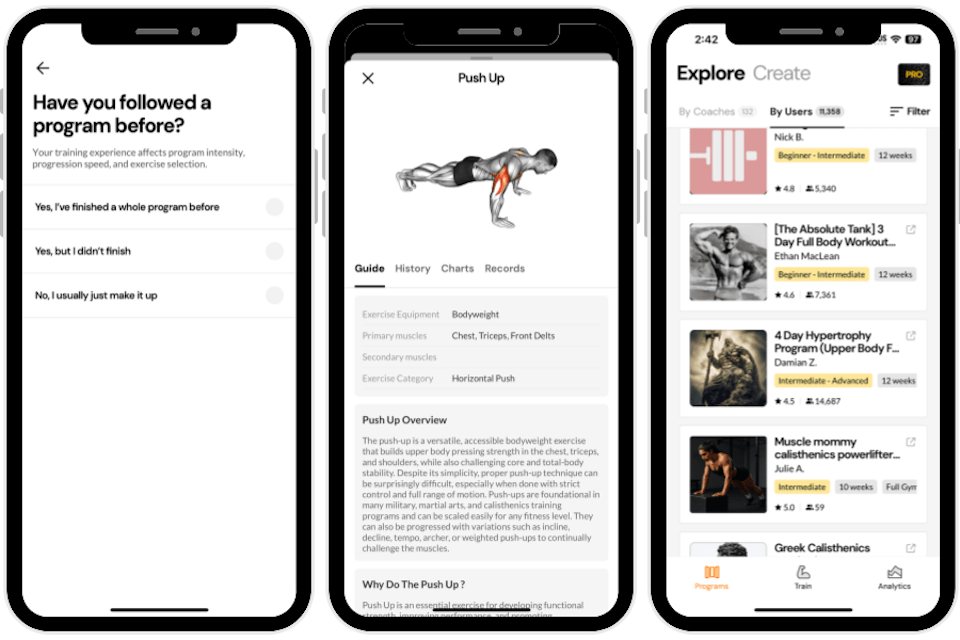
Charlotte tested Boostcamp, rating the app setup a 4 out of 5. She found it pretty easy to set up, though she was confused when the app offered its Pro plan, which costs $4.99 a month as of this writing. Charlotte didn’t know she could use the robust free version. Other than that, Charlotte said that she answered a handful of questions about her workout history, and then a personalized plan was created for her.
She found the app overall very easy to use, rating it a 5 out of 5. “The program is lined up for you and then split into the number of days per week you want to work out. There’s no searching through a workout library,” Charlotte said.
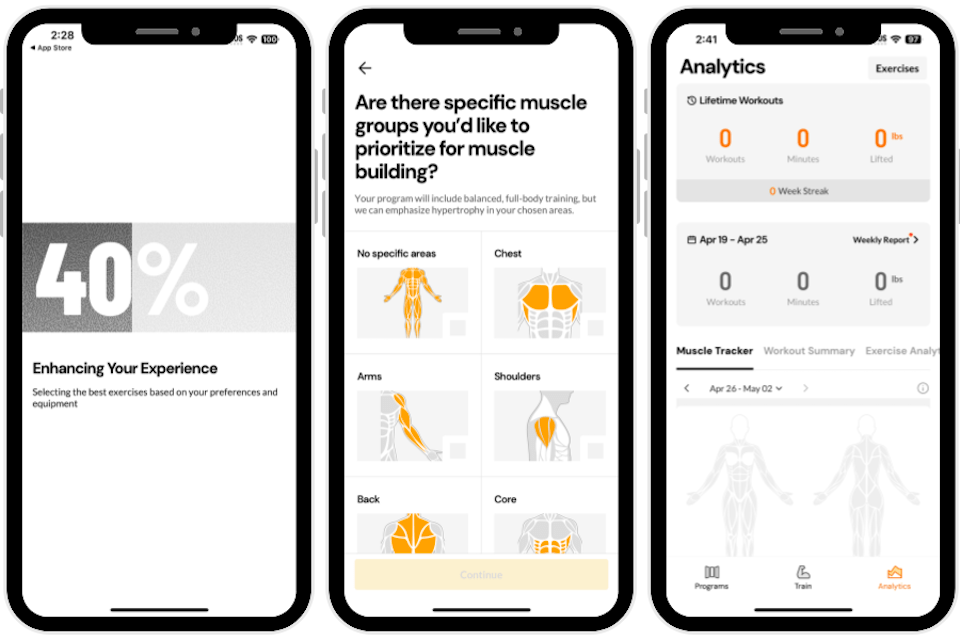
Charlotte noted that the app shares the workout details ahead of time, so you know what equipment to get ready before you start. “There’s an analytics function on the bottom where you can see a muscle tracker, workout summary, and exercise analysis. You can even add up how many pounds you lifted throughout the week. If you don’t feel like doing your personalized workout, you can choose from some preselected ones,” she said.
While our tester found the workout variety fantastic, the accountability features are lacking a bit in this app—Charlotte rated them a 3 out of 5. There’s no live coach, so no one will be messaging you or checking in.
“There are also no social aspects, so no competitions or leaderboards for you to compete with and engage with other users,” she noted. But she added, “There are notifications, calendar invites, and more to keep yourself accountable, especially with the tracking features.”
If you’d like a weightlifting app with more accountability built in, we recommend trying Caliber.
Specs
- Subscription options: Pro version costs $4.99 a month
- Free trial: Free app, pro version is available with a one-week trial
- Special features: Large free program library, plate calculator, rest timers, advanced analytics in Pro
- Compatibility: iOS, Android
Other Weightlifting Apps We Tested
We tested eleven weightlifting apps. Here are a few that we chose not to include in our top picks and why.
- Muscle Booster: This app costs $24.99 per month and has limited interactive features.
- Everfit: Our tester had issues locating the on-screen instructions and verbal cues during her workouts.
- iFit: This app costs $39 a month, which is a bit steep.
How We Tested and Selected the Best Weightlifting Apps
Our team underwent hands-on testing of each weightlifting app’s setup, usability, workout quality, and overall value, with a special focus on how well they support consistency and accountability over time. We looked for apps that are not only effective but also realistic to stick with for different lifestyles and fitness levels.
Setup and Ease of Use
Testers paid close attention to how easy or difficult it was to download and set up each app, from account creation to any onboarding questionnaires. Clear navigation, intuitive layouts, and coaching guidance were prioritized so users could get moving quickly without feeling overwhelmed.
Accountability
Accountability features were a major factor that we considered, since different people need different levels of encouragement. Some apps offer high-touch support, such as real-life certified personal trainers or in-app coaching, while others rely on push notifications, streaks, check-ins, and community elements; our goal was to include a range of options for different folks’ preferences.
Lifting Instructions
Depending on the weightlifting app style, testers prioritized options that provide safe, easy-to-follow lifting instructions, including clear videos and verbal cues. Extra visuals, such as timers, rep counters, pacing guidance, and alternative angles or modifications, were rated highly because they help with form and confidence, especially for beginners.
Programming
Where applicable, we favored weightlifting apps that offered thoughtful training plans and incorporated progressive overload. In practice, this meant built-in improvement plans that gradually increased weights, sets, reps, distance, or intensity over time, rather than random standalone workouts.
Value
For value, the team weighed all these factors—features, coaching depth, workout quality, and flexibility—against the typical monthly or yearly subscription price.
Benefits of Weightlifting Apps
Weightlifting apps can be powerful tools to help you work out whenever, wherever. Here are some benefits:
- Structure and planning: Having a clear program instead of guessing or choosing from random workouts
- Flexibility and convenience: Home, gym, travel, short or long sessions
- Tracking progress: See improvements in strength, reps, and weight
- Motivation and accountability: Reminders, challenges, and milestones, plus meeting with a certified personal trainer if you’d like
What to Avoid in Weightlifting Apps
There are also a few things to watch out for when you’re evaluating weightlifting apps:
- Confusing or misleading pricing, trials that auto-renew without clear reminders, or hard-to-find cancellation options
- Poor or unsafe exercise instruction, especially if you’re a beginner or lifting heavy
- Overly aggressive claims (like guaranteed extreme results in a couple of weeks) with no focus on sustainable habits
- Apps that are created by non-credentialed folks
- Apps that don’t offer the types of weightlifting sessions that you enjoy
How to Find the Best Weightlifting Apps for You
Choosing the right weightlifting app starts with knowing your goals, schedule, budget, and preferred level of structure. The best weightlifting app for you will feel realistic to stick with most days of the week, not just for the first few workouts.
Your Fitness Goals
Different people have very different reasons for working out: fat loss, muscle gain, cardio health, mobility, or simply moving more during the day. Clarifying your main goal (and a secondary one) helps you quickly search weightlifting apps for categories such as powerlifting, hypertrophy, functional strength, and more.
Time Commitment
One of the biggest benefits of weightlifting apps is that you don’t need to schedule appointments with a personal trainer or be anywhere at a particular time to work out. We’d recommend considering how much time and how often you plan to complete your weightlifting sessions. This way, you can get set up with a routine that works for you, with flexibility as needed.
Preferred Workouts
Consider the type of weightlifting workouts you’d like to do to meet your goals. You can then check whether the apps offer those types of workouts (e.g., powerlifting, hypertrophy, functional training). Some weightlifting apps also have cardio, yoga, Pilates, and more, so that you can balance your workouts.
Cost
Budget is a big factor, even though many weightlifting apps can cost far less than regular sessions with a personal trainer. Some are free or offer limited free tiers, while others charge a monthly or annual subscription. Think about what you realistically will use—if you won’t tap into coaching or advanced features, you may not need the most expensive option. Paying for a plan is only worth it if it helps you stay more consistent than you would with free content.
Frequently asked questions
What is the No. 1 workout app?
SHRED is our pick for the best weightlifting app. This app can adjust day-by-day to your situation–if you are at home and have dumbbells and kettlebells, it’ll create your workout based on that. If you’re traveling and using a hotel gym, SHRED will modify to the equipment that’s available to you. The app has AI coaching and progression plans, which make it highly customizable.
Is Fitbod or Caliber better?
We tested Caliber, but not Fitbod, so it’s difficult to say without testing both. We like Caliber because it is science-based. You’ll work with a certified coach, who will check in with you a few times a week for accountability. In addition to developing a training plan for you, they’ll also create a flexible nutrition plan. There are also educational lessons included in the app.
Do weightlifting apps really work?
Yes, weightlifting apps can work. They can provide accountability through coaching, social features, and also provide a variety of workouts to help you gain strength and muscle.
How frequently should you strength train?
Current recommendations say to strength train between two and five days a week.