• Home
  • Latest
  • Fortune 500
  • Finance
  • Tech
  • Leadership
  • Lifestyle
  • Rankings
  • Multimedia

Trendingnow

1

After forcing workers back to the office, Goldman Sachs and JPMorgan Chase are now letting their staff work remotely—but only for the World Cup

2

Markets tumble worldwide as Fed resets expectations: $400 billion wiped off SpaceX stock

3

Current price of oil as of June 23, 2026

1

After forcing workers back to the office, Goldman Sachs and JPMorgan Chase are now letting their staff work remotely—but only for the World Cup

2

Markets tumble worldwide as Fed resets expectations: $400 billion wiped off SpaceX stock

3

Current price of oil as of June 23, 2026

10 Strange and Awesome Things You Didn’t Know Your iPhone Could Do

By
Lindsay Friedman
Lindsay Friedman
and
Entrepreneur
Entrepreneur
Down Arrow Button Icon
By
Lindsay Friedman
Lindsay Friedman
and
Entrepreneur
Entrepreneur
Down Arrow Button Icon
June 21, 2016, 9:15 AM ET
Apple Starts iPhone 6 Sales In Germany
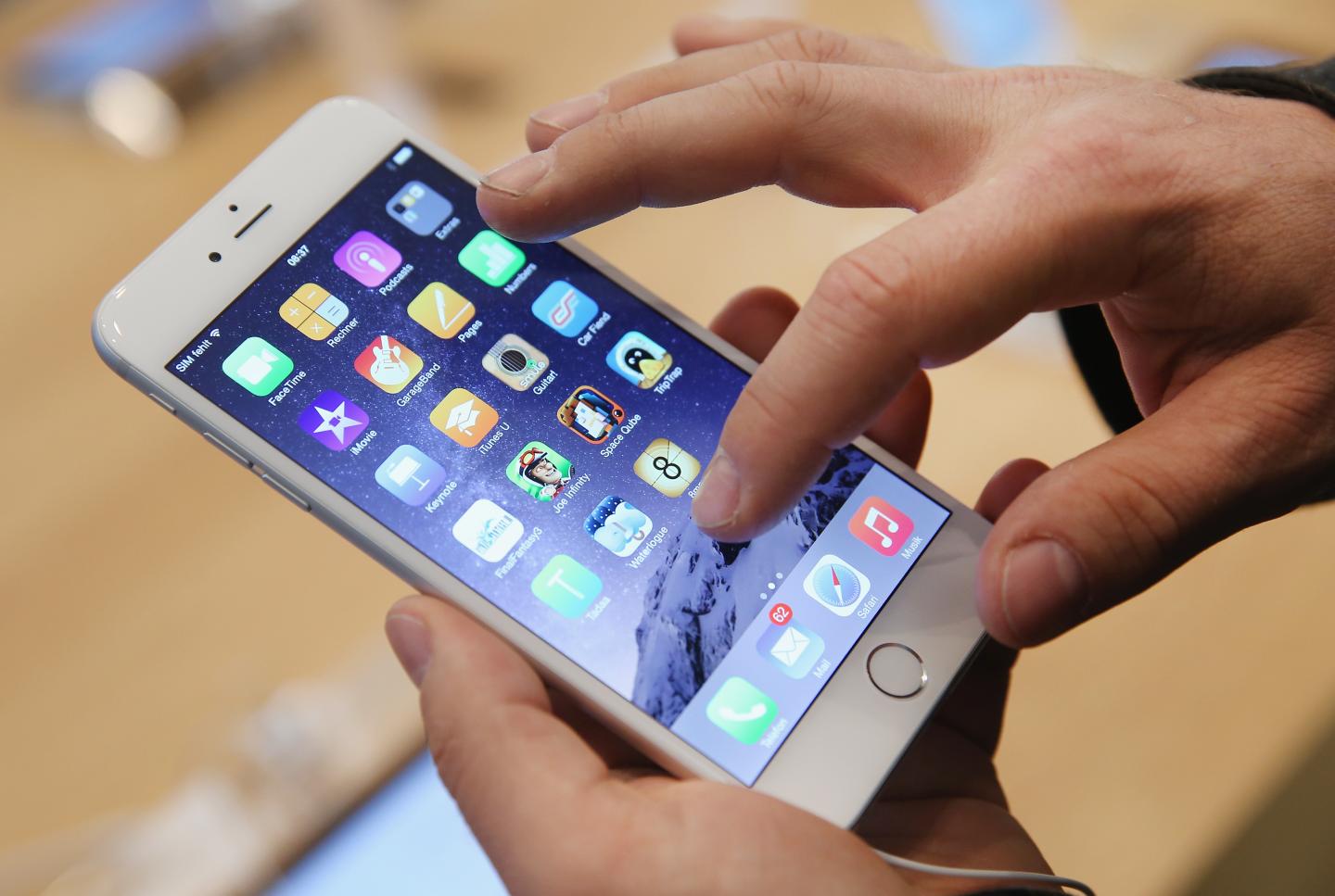
A shopper tries out the new Apple iPhone 6 at the Apple Store on the first day of sales of the new phone in Germany on September 19, 2014 in Berlin, Germany. Photograph by Sean Gallup — Getty Images
Add Fortune on Google for similar content.

This story originally appeared on Entrepreneur.

With so much tech out there these days, the learning curve for what different devices can do can be quick and easy. However, not everyone knows about some of these handy capabilities to help make your life easier.

For instance, iPhones — a device most use every day — can do anything to sending tweets, identify planes overhead or have self-destructing messages.

If you’d like to tap into the true potential of your iPhone, check out the below cool features. Before you get started, it is important to note, not all may work with your current model or operating system.

1. See what planes are overhead.

It’s really as easy as just asking Siri “What flights are overhead?” A list will pop up with detailed information about different flights currently right above you high in the skies.

2. Have Siri read your texts out loud.

This is a great tool to use if your hands aren’t free or you’re on the road. It’s a simple process, too.

  • Press the “Home” button and hold it.
  • When you hear a beep, tell Siri a command, like “Read my texts.”
  • After she has finished reading you her texts, Siri will ask what she should do with the messages. You can either haver her reply to a text, or if you need her to read them again, you can ask her to do so.


3. Use your iPhone as a level.

You know that compass app everyone always forgets about and hardly uses? Well, just swipe left and you’ll discover your iPhone comes complete with a functioning level, too. Who knows when that might come in handy!

4. Take a photo with the volume button or your headphones.

This tip could be what you needed and finally get the ultimate selfie, especially since taking a photo with one hand can get a bit tricky.

Make it easier by holding your iPhone with two hands horizontally and opening the camera app. To take a picture, press down on the “+” button for volume on the side of your phone. The same trick works for your headphones, too. Just hit the volume up button on the Apple Remote Earphones to snap a pic.

Related: The 40% Rule: A Navy SEAL’s Secret to Mental Toughness

5. Omit lights rather than noise.

Tired of annoying ringtones or vibrations? Why not use the built in LED on your iPhone, instead?

Go to Settings, General and then Accessibility and turn on the slider for LED Flash for Alerts, and the next time something comes in, the LED will flash whenever you have a corresponding notification.

6. Respond to texts without unlocking phone.

Sometimes you’re just on the go and don’t want to have to go through the flak of dealing with the lock screen to respond to a message. Luckily, there’s a way you don’t have to.

When you get a notification, just swipe left on the message and blue “Reply” button will appear. Tap it, and then you’re free to type your message and send it on its way.

7. Send audio messages that self-destruct.

Turns out you don’t exactly need Snapchat to send a photo or video that would disappear after a set amount of time. You can actually just use your own iPhone and a handy settings shortcut.

Once in settings, press the green messages icon and go to the audio messages section. There, you’ll see an option to set messages to expire after two minutes.

More articles from Entrepreneur

  • The Shocking Lessons I Learned After I Quit My Social Media Addiction in 3 Days in the Desert
  • 3 Things Besides Money You Need to Start a Successful Business
  • These Founders Always Make Time to Show Off Their Kids on Social Media

8. Leave a group conversation.

Sometimes, group conversations can more annoying than they are useful. But unlike Facebook chats, there’s an easy way to escape the clutches of group messages on your iPhone. It’s simply a three-step process:

  • In your Messages app, select the group message you don’t want to be a part of anymore
  • Hit the word “Details” in the top right corner
  • You will be taken to a page with information pertaining to the conversation (e.g. who is taking part in it). At the bottom, in red lettering, you will see, “Leave this Conversation.” Tap it, and you are out.

9. Read articles without distracting ads.

If you’d like to streamline the process of making a reading list free of advertisements, Reader may be the way to go. The tool itself is built into Safari. All you have to do is click on the small “Reader” button located to the left of the URL and the article will appear without any other distractions, with just the text.

10. Set location-based reminders.

We’ve got reminders and alarms set for time, but what about tapping into that phone GPS for reminders sent by location?

All you have to do is go into the Reminders app on your iPhone, make a reminder and then select the option “remind me at a location.” You are then taken to a page, where you can choose your current location, or a specific address. Once you insert the information, it will ask if you want the reminder to come up for when you leave or when you arrive. Be warned, however, since the app would constantly access the GPS, it would eat up your battery.

About the Authors
By Lindsay Friedman
See full bioRight Arrow Button Icon
By Entrepreneur
See full bioRight Arrow Button Icon
Add Fortune on Google for similar content.

Latest in

Finance
Lorem ipsum dolor sit amet, consectetur adipiscing elit, sed do eiusmod tempor incididunt ut labore et dolore magna aliqua. Ut enim ad minim veniam
By Fortune Editors
October 20, 2025
Finance
Lorem ipsum dolor sit amet, consectetur adipiscing elit, sed do eiusmod tempor incididunt ut labore et dolore magna aliqua. Ut enim ad minim veniam
By Fortune Editors
October 20, 2025
Finance
Lorem ipsum dolor sit amet, consectetur adipiscing elit, sed do eiusmod tempor incididunt ut labore et dolore magna aliqua. Ut enim ad minim veniam
By Fortune Editors
October 20, 2025
Finance
Lorem ipsum dolor sit amet, consectetur adipiscing elit, sed do eiusmod tempor incididunt ut labore et dolore magna aliqua. Ut enim ad minim veniam
By Fortune Editors
October 20, 2025
Finance
Lorem ipsum dolor sit amet, consectetur adipiscing elit, sed do eiusmod tempor incididunt ut labore et dolore magna aliqua. Ut enim ad minim veniam
By Fortune Editors
October 20, 2025
Finance
Lorem ipsum dolor sit amet, consectetur adipiscing elit, sed do eiusmod tempor incididunt ut labore et dolore magna aliqua. Ut enim ad minim veniam
By Fortune Editors
October 20, 2025

Most Popular

Finance
Lorem ipsum dolor sit amet, consectetur adipiscing elit, sed do eiusmod tempor incididunt ut labore et dolore magna aliqua. Ut enim ad minim veniam
By Fortune Editors
October 20, 2025
Finance
Lorem ipsum dolor sit amet, consectetur adipiscing elit, sed do eiusmod tempor incididunt ut labore et dolore magna aliqua. Ut enim ad minim veniam
By Fortune Editors
October 20, 2025
Finance
Lorem ipsum dolor sit amet, consectetur adipiscing elit, sed do eiusmod tempor incididunt ut labore et dolore magna aliqua. Ut enim ad minim veniam
By Fortune Editors
October 20, 2025
Finance
Lorem ipsum dolor sit amet, consectetur adipiscing elit, sed do eiusmod tempor incididunt ut labore et dolore magna aliqua. Ut enim ad minim veniam
By Fortune Editors
October 20, 2025
Finance
Lorem ipsum dolor sit amet, consectetur adipiscing elit, sed do eiusmod tempor incididunt ut labore et dolore magna aliqua. Ut enim ad minim veniam
By Fortune Editors
October 20, 2025
Finance
Lorem ipsum dolor sit amet, consectetur adipiscing elit, sed do eiusmod tempor incididunt ut labore et dolore magna aliqua. Ut enim ad minim veniam
By Fortune Editors
October 20, 2025
Fortune Secondary Logo
Rankings
  • 100 Best Companies
  • Fortune 500
  • Global 500
  • Fortune 500 Europe
  • Most Powerful Women
  • World's Most Admired Companies
  • See All Rankings
  • Lists Calendar
Sections
  • Finance
  • Fortune Crypto
  • Features
  • Leadership
  • Health
  • Commentary
  • Success
  • Retail
  • Mpw
  • Tech
  • Lifestyle
  • CEO Initiative
  • Asia
  • Politics
  • Conferences
  • Europe
  • Newsletters
  • Personal Finance
  • Environment
  • Magazine
  • Education
Customer Support
  • Frequently Asked Questions
  • Customer Service Portal
  • Privacy Policy
  • Terms Of Use
  • Single Issues For Purchase
  • International Print
Commercial Services
  • Advertising
  • Fortune Brand Studio
  • Fortune Analytics
  • Fortune Conferences
  • Business Development
  • Group Subscriptions
About Us
  • About Us
  • Press Center
  • Work At Fortune
  • Terms And Conditions
  • Site Map
  • About Us
  • Press Center
  • Work At Fortune
  • Terms And Conditions
  • Site Map
  • Facebook icon
  • Twitter icon
  • LinkedIn icon
  • Instagram icon
  • Pinterest icon

Latest in

Taktile cofounders Maik Taro Wehmeyer (left) and Maximilian Eber (right) stand side by side, smiling at the camera.
Startups & VentureVenture Capital
Exclusive: Taktile raises $110 million from Goldman Sachs, Tiger Global to automate high-stakes financial decisions 
By Camila Grigera NaónJune 24, 2026
24 minutes ago
price-of-oil-06-23-2026
Personal FinanceOil
Current price of oil as of June 24, 2026
By Joseph HostetlerJune 24, 2026
37 minutes ago
Sarah Youngwood, EVP and CFO at Nasdaq.
AICFO Daily
Nasdaq’s CFO says leaders must learn AI—not just their teams
By Sheryl EstradaJune 24, 2026
39 minutes ago
Current price of silver as of Wednesday, June 24, 2026
Personal Financesilver
Current price of silver as of Wednesday, June 24, 2026
By Joseph HostetlerJune 24, 2026
43 minutes ago
steve
Commentary250 Years of Innovation
Steve Case: America was built by entrepreneurs. Here’s how we keep that edge for the next 250 years
By Steve CaseJune 24, 2026
54 minutes ago
(left to right) Andrew Berman, Tal Peretz, and Vitor Balocco
AIVenture Capital
Exclusive: Vinod Khosla wanted ‘every available dollar’ of Runlayer’s funding round. It just raised $30 million to govern the agent workforce
By Lily Mae LazarusJune 24, 2026
1 hour ago

Most Popular

After forcing workers back to the office, Goldman Sachs and JPMorgan Chase are now letting their staff work remotely—but only for the World Cup
Success
After forcing workers back to the office, Goldman Sachs and JPMorgan Chase are now letting their staff work remotely—but only for the World Cup
By Orianna Rosa RoyleJune 23, 2026
1 day ago
Markets tumble worldwide as Fed resets expectations: $400 billion wiped off SpaceX stock
Banking
Markets tumble worldwide as Fed resets expectations: $400 billion wiped off SpaceX stock
By Jim EdwardsJune 23, 2026
1 day ago
Current price of oil as of June 23, 2026
Personal Finance
Current price of oil as of June 23, 2026
By Joseph HostetlerJune 23, 2026
1 day ago
The Pentagon said Iran War costs $29 billion,but the real cost is closer to $200 billion—and counting
Economy
The Pentagon said Iran War costs $29 billion,but the real cost is closer to $200 billion—and counting
By Jacqueline MunisJune 24, 2026
6 hours ago
Texas and Charlotte used to build huge McMansions—now they're copying the California design tricks they once mocked
Real Estate
Texas and Charlotte used to build huge McMansions—now they're copying the California design tricks they once mocked
By Sydney LakeJune 22, 2026
2 days ago
Meet the 2 men putting New York's $300 billion pension fund in play for the first time in 20 years
Investing
Meet the 2 men putting New York's $300 billion pension fund in play for the first time in 20 years
By Nick LichtenbergJune 22, 2026
2 days ago

© 2026 Fortune Media IP Limited. All Rights Reserved. Use of this site constitutes acceptance of our Terms of Use and Privacy Policy | CA Notice at Collection and Privacy Notice | Do Not Sell/Share My Personal Information
FORTUNE is a trademark of Fortune Media IP Limited, registered in the U.S. and other countries. FORTUNE may receive compensation for some links to products and services on this website. Offers may be subject to change without notice.